A new collection only has one first day. On that day, existing customers open your newsletter, new visitors arrive through Instagram, and a retailer might ask for images. If your shop still has placeholders or mismatched photos, you waste the attention you have worked hard to build.
The good news: you do not need a huge campaign. You need the right images for each place your collection appears. Most of them can be created in a single shoot.
The three image types for your launch
Product cutouts for your shop
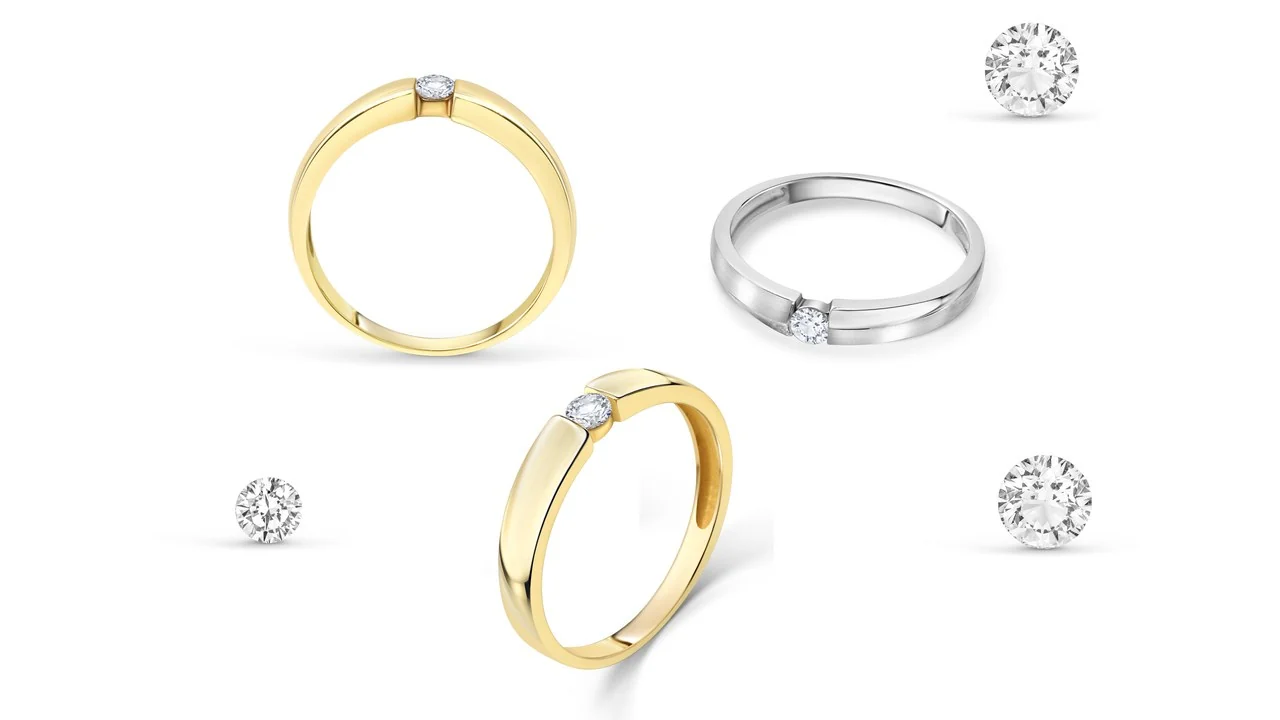
Each piece on a white or light background, from the front and from one to three additional angles, with every variant photographed separately. Without these images, customers cannot buy. They are essential.
On-model photos to show the actual size
A ring on a hand, a necklace around a neck, an earring on an ear. On-model photos answer “How big is it really?” before that question becomes a return. They are always worth considering for the key pieces in your collection.
Collection and lifestyle images
All the pieces together in one image, plus a few photographs with a mood, materials and colours that suit the collection. These images tell its story and support your announcement on your homepage, in your newsletter and on Instagram.
For a detailed explanation of the differences between these three image types and when to use them, read Product cutouts, on-model or lifestyle photos?
Which image belongs where
At launch, your collection appears in many places at once. Each channel needs something different. This overview helps you cover everything:
| Where | Which images | What to consider |
|---|---|---|
| Product page in your shop | Product cutouts from 3 to 4 angles, one on-model photo | Show each variant separately, keep colours accurate and use the same crop for every piece |
| Collection page and homepage | One collection image showing all the pieces, one lifestyle image as a banner | Landscape format with space for text, keeping the subject away from the edges |
| Newsletter | A collection or lifestyle image as the lead, followed by 3 to 4 product cutouts | One clear main subject that also works at a small size on a phone |
| On-model images, lifestyle photos and product cutouts for carousels | Portrait format (4:5) for the feed, tall portrait format (9:16) for Stories and Reels | |
| Marketplaces | Product cutouts on a pure white background | Each marketplace has its own rules; see Image requirements for Amazon, Etsy and OTTO |
| Retailers and press | High-resolution product cutouts and one or two collection images | Clearly named files, with cutouts supplied as PSD or PNG on request |
Many of these images can come from the same photograph. Tell me in advance where you plan to use them, so I can leave enough space for portrait and landscape crops that you can make later. For the right file format for each use, read JPG, PNG or PSD?
Six things that make a launch shoot work
Photograph everything in one style
A collection only looks like a collection when lighting, angles, backgrounds and crops are consistent across all pieces. That is why it is best to photograph everything in one shoot. Read more in One jewellery collection, one consistent visual style.
Photograph every variant separately
If a piece comes in gold, silver and rose gold, each variant needs its own images. Someone who orders rose gold after only seeing gold may feel uncertain when opening the parcel, which can lead to returns.
One image showing all the pieces
A collection image with all the pieces together is the face of your launch. Use it as a banner, in your newsletter and as your first post. For sets, it also shows exactly what is included in the package.
On-model photos for your key pieces
Not every piece needs an on-model photo. But the three to five pieces you use to promote the collection should have one. For why this matters, read How big is the jewellery really?
Enough images for the first few weeks
A launch does not end after one post. Plan enough lifestyle and on-model images to show the collection on Instagram and in your newsletter for a few weeks without repeating photos.
Prepare your samples
The pieces you send me should look exactly like the items you will sell. Remove labels and protective film, and include all variants. For packing advice, read Sending jewellery to your photographer by post.
Launch image planner: How many photos does your collection need?
The fields contain example values. Enter your own numbers or choose a preset. Nothing is saved.
Product cutouts have a fixed price of €20 per image and view, including editing. On-model and lifestyle prices are estimates; the exact price depends on the work involved and your requirements and may be higher or lower. As a small business, I do not charge VAT. Request a quote for an exact price.
How your launch shoot works
The process is the same as for any other assignment. Just allow enough time for the images to be in your shop before launch and for you to prepare newsletters and posts without rushing.
- Briefing
Tell me which pieces you have, which images you need and when you plan to launch. - Getting the jewellery to me
In Berlin, I can collect by arrangement. From elsewhere in Germany and Austria, you can send your pieces by post. - Photography and retouching
Every piece in one consistent style, with faithful editing. Ready in approximately 3 to 5 days, with express service on request. - Ready to use
You receive the images in your preferred format, with full usage rights, and your jewellery is returned.
How much additional lead time you need mainly depends on you: how long it takes you to prepare product descriptions, newsletters and shop listings. For what to prepare before booking, see the Checklist for commissioning jewellery photography.
Why I enjoy photographing collections
I have photographed jewellery for online shops and brands since 2020, covering several thousand pieces so far. With a new collection, I see all the pieces together and can photograph them as a family from the start: the same lighting, perspective and editing. That is the difference between a shop that looks organised and one where every image looks different. To see how your pieces look in my photographs first, take a look at the welcome offer .
Frequently asked questions
How many photos does a new jewellery collection need?
Usually 3 to 4 product cutouts from different angles per piece, plus an on-model photo for the key pieces. For the collection as a whole, add one or two images showing all the pieces together and some lifestyle photos for newsletters, banners and Instagram. With 10 pieces, this can easily add up to 40 to 50 images.
Which images are most important for a launch?
Start with product cutouts for the shop, because customers cannot buy without them. Next, add an on-model photo to show the actual size and a strong collection image for your homepage, newsletter and Instagram. Everything else can follow after the launch.
Are samples sufficient for the photos?
Yes, as long as they look exactly like the items your customers will receive. The colour, stones and surface finish need to match. If a piece comes in gold and silver, I need both variants.
How quickly will the images be ready?
Usually in approximately 3 to 5 days after the jewellery reaches me. If time is tight, express service is available on request. In Berlin, I can collect by arrangement; otherwise, you can send your jewellery by post.
How much do photos for a collection cost?
A product cutout costs €20 per image and view including editing, on-model photos start at approximately €30 and lifestyle images at approximately €25 per image. As a small business, I do not charge VAT. Use the image planner in this article to estimate your collection's cost.
Your new collection, presented properly from the start
Tell me how many pieces you have and when you plan to launch. I will get back to you within 24 hours with a quote.