Product photos for the online shop: What images does each product need?
Main image, views, size, application: Which product photos customers in the online shop expect, how the picture plan differs depending on the product and how you give your products well prepared into the shoot.
In the shop, customers take a product in their hands, turn it, open it and see how big it really is. In the online shop, the product photos take it. If a view is missing, a question remains open, and open questions lead to canceled purchases or returns.
My focus is on jewellery: I have photographed several thousand pieces of jewellery since 2020, i.e. the smallest and most reflective products that exist. What works here also applies to watches, cosmetics, bags or decoration. Five types of imageswhich each product needs, Image plans by product type and one Image planner for your assortment.
The five image types that each product needs
Whether hand cream, leather bag or ceramic vase: a complete picture set answers five questions. Each question has its own image type.
1. Main image: What is it?
The product alone, frontal or slightly oblique, as product images on white background on white. It appears in search, category and shopping cart and must be immediately recognizable as a small preview image.
2. Other views: what does it look like from each side?
Side, back, bottom, open or from above. In the same light and on the same background as the main image to make the images a row.
3. Size: How big is it really?
The product in the hand, on the body, next to a known object or in the room. Dimensions in the text hardly anyone reads, a picture everyone understands.
4. Use: How does it fit into my life?
A lifestyle image or an image on the model shows the product in use. This creates mood and explains what it is meant for.
5. What’s included: what will I receive?
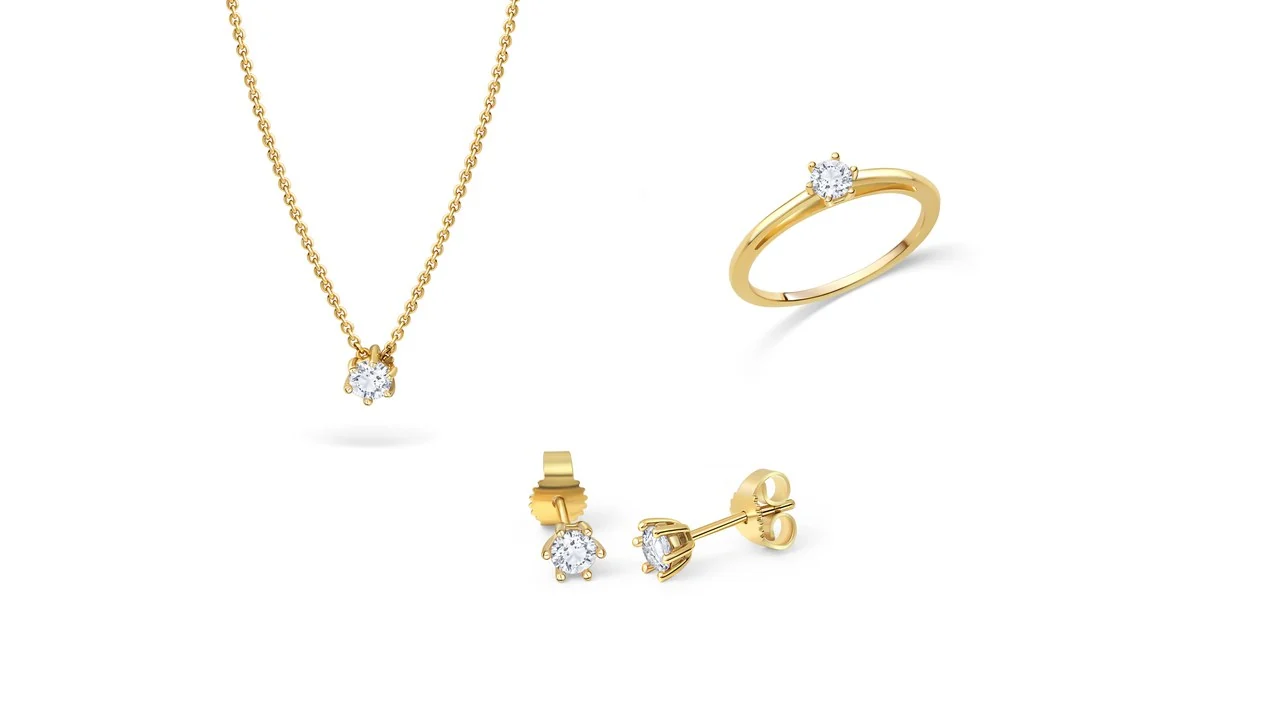
All parts together as a set, with packaging, accessories or refillers. This prevents queries and disappointed expectations when unpacking.
Product images on white background and views you need for any Product. Size and usage images are particularly worthwhile for bestsellers, novelties and everything that customers can hardly assess. You can see what the image types look like in detail under Product cutouts, Products & sets, Lifestyle photos and On-model photos.
Which images suit each product type?
The five image types remain the same, but each product type has its own question, which customers want to have answered before buying.
| Product type | Paying attention to this | Recommended images | Images per product |
|---|---|---|---|
| Watches & Accessories | Dial, bracelet, clasp, size on wrist | Product images on white background frontal, side with crown, back, wrist, packaging | 5 to 7 |
| Cosmetics & Care | Readable label, content, texture, bottle size | Product images on white background with label, back with ingredients, open or texture, in hand, lifestyle in the bathroom | 4 to 6 |
| Bags & leather goods | Space inside, material, seams, body size | Frontal, side for depth, back, interior view, close-up of leather and seams, worn | 6 to 8 |
| Home accessories & decoration | effect in space, real size, colour | Product images on white background, second view, size comparison, lifestyle in the room, as a set | 4 to 6 |
| Electronics & Accessories | Connections, buttons, scope of delivery, size | Product images on white background, backside with connectors, scope of delivery, in use, size comparison | 5 to 7 |
| Packaging & Gift Sets | How it looks closed and open, what's inside | Closed, open with content, content as set, gift situation | 3 to 5 |
| Ceramics & Handmade | glaze, unique character, underside, size | Product images on white background, page, underside with stamp, close view of the glaze, in use | 4 to 6 |
| Jewellery | Stones, shine, closure, real size | Product images on white background in multiple views, product set, photo on model, lifestyle. Take a picture of jewellery | 4 to 6 |
Shiny and reflective products
Watch glasses, perfume bottles, paint crucibles, polished metals: everything that shines reflects camera, space and photographer. Here the light decides, not the camera. This is exactly the work I do every day in jewellery. Why this is so demanding, I explain in the article Why is jewellery so hard to photograph?
Products in multiple colours
Each colour variant needs its own main image, because customers usually choose the colour over the image. Further views often suffice in one colour if the variations do not differ otherwise. Make sure that the colours in the image correspond to the goods. False colours are among the most common reasons for returns.
Image planner for your assortment
Choose your product type and where you sell. The planner shows which pictures you need and how many pictures it will total about.
Where are you selling?
One range, one consistent look
In the category view your products stand side by side. If each image has a different light, a different angle and a different Weißon, the shop seems restless, even if every single photo is good. Therefore, define and hold for each new product:
- Background: pure white for product images on white background, a solid colour or surface for lifestyle.
- Perspectives: For example, always frontal at eye level or always slightly from above.
- Section of the image: the product always fills about the same amount of the surface and stands in the middle.
- Light and shadow: with soft shade or without, but not mixed.
- Order: Main image, views, size, use, scope of delivery, the same for each product.
If you have a photo taken later, a fixed look is worth gold: New products will match the old ones without breaking. As I implement this for jewellery collections, read in One jewellery collection, one consistent visual style.
The technical basis
Good product photos often fail due to small things in the shop. These values work for almost every shop system and the large marketplaces:
- Square, minimum 2,000 pixels on the short side so that the zoom function remains sharp.
- JPG in the colour space sRGB, not CMYK. For product images on white background on coloured surfaces additionally PNG with transparent background.
- Some edge to the product so that you can cut for banners and Instagram also in portrait format.
- Talking filenames how
hand cream-lavendel-50ml-front.jpgforIMG_4711.jpg, and a short old text that describes what can be seen.
The article explains which format fits what JPG, PNG or PSD. For marketplaces own rules apply, such as the pure white background in the Amazon main image. The details can be found in Jewellery Photos for Amazon, Etsy and OttoThe specifications there apply equally to other products.
The 6 most common errors in product photos
1. Only one picture
A main picture alone does not answer any questions about the back, interior or size. Customers then prefer to buy where they see more.
2. Grey instead of white background
A photographed white cardboard is almost always grey in the picture. In addition to clean product images on a white background, this immediately seems less professional.
3. No idea of the size
Is the vase 12 or 40 centimeters high? Without a size picture, customers misjudge and send back.
4. Wrong colours
A colour engraving by room light or screen makes from sage green quickly gray. Clean colour correction is mandatory.
5. Dust, fingerprints, price tags
When zooming on 2,000 pixels you see everything. What nobody notices in the shop is immediately noticeable in the picture.
6. Each product photographed differently
Alternating angles, backgrounds and shadows make the assortment appear rolled together.
How to prepare your products for the shoot
The better the products are prepared, the less time it takes to process them, and the better the images become.
- Create list
Item number, name, variants and desired views per product. - Non-removable patterns
Without scratches, creases or adhesive residues, labels just glued on. - Price labels from
And add all the parts you want to see in the picture: accessories, lids, packaging. - Send examples
A few pictures you like, for example from your shop or from brands you like. - Securely pack
Stable, padded and with content list if you send by post.
How a shipment to me takes place, I describe in detail in Send jewellery to photographerFor other products, the same applies.
How I can help
I photograph in my studio in Berlin. You send your products by mail from all over Germany & Austria, in the area Berlin a personal transfer is also possible. You get real, edited studio photos that fit without rework in shop, marketplace and social media.
Fixed price per view, including editing, with or without shadow, as JPG or PSD.
Lifestyle pictures from approx. €25 per image, on-model photos from approx. €30 per image, depending on the effort.
Individual offer according to your short request, depending on product, size, number and image type.
Jewellery is my focus, but I also take pictures of many other products. Write me briefly what you want to take pictures. I check whether I can implement your wishes and get in touch with an offer. You can find everything on the page Product photography.
Delivery time:Usually 3 to 5 days after the products arrive, express in about 2 to 3 days on request. All prices are final prices. As a small business under Section 19 of the German VAT Act (UStG), I do not charge VAT.
Frequently asked questions
How many product photos does a product need in the online shop?
For most products, 5 to 8 images make sense: a main image as a product image on a white background, two to three further views, an image that shows the size, and an image in use. For products requiring explanation, such as bags or electronics, it may also be more.
What is the difference between product images on white background and pack shot?
Both show the product alone on a neutral, mostly white background. Packshot is the older term from advertising and often means the product with packaging. A product picture on a white background is an image in which the background was removed cleanly or set pure white. In the online shop, both terms usually mean the same thing: the clear main image.
Which image format is best for product photos in the online shop?
Square, at least 2,000 pixels on the short side, as JPG in the colour space sRGB. Thus, the pictures fit in almost every shop system and on the large market places. For Instagram it is worth to leave enough margin for a portrait format editing when photographing.
Do I need lifestyle images for every product?
No. Product images on white background and other views are required for every product. Lifestyle images are especially worthwhile for bestsellers, novelties, home page, category pages and social media. Often few mood pictures per collection are enough.
Do you also take pictures of products other than jewellery?
Yes. Jewellery is my main focus, but I also take pictures of other products, such as watches, accessories, cosmetics, decoration or packaging. Write me a short description of what you want to photograph. I check whether I can implement your wishes and report with an individual offer.
How much do product photos cost at HB Photography?
There are fixed prices for jewellery: Product images on a white background cost €20 per image and view including editing, lifestyle pictures from approx. €25 per image, on-model photos from approx. €30 per image. For other products I create an individual offer according to your short request, depending on product, size, number and type of image. All prices are final prices. As a small business under Section 19 of the German VAT Act (UStG), I do not charge VAT.
Your product, your picture set
Describe your product in a few keywords, mobile phone photos help in the assessment. I check your wishes and suggest you a suitable picture set.